Here's a short post on my second Cadalyst article. This article focuses on how to create feature data queries with AutoCAD Map 3D. I have also posted a video to accompany the article.
Thursday, November 19, 2009
Cadalyst Article on Geospatial Queries with AutoCAD Map 3D
Labels:
analysis,
AutoCAD Map 3D,
Cadalyst,
geospatial,
GIS,
queries,
query
Tuesday, September 29, 2009
How to Analyze Slopes for LEED Certification in Neighborhood Development
Leadership in Energy and Environmental Design for Neighborhood Development (LEED-ND) is a certification program that promotes a green approach to community development. In fact, the US Green Building Council (USGBC) plans to designate LEED-ND as an American National Standard (ANSI). I first blogged about LEED-ND a few months ago where I demonstrated how to use buffer analysis to assess the density of an area based on the number of street intersections for LEED-ND certification. Recently, I posted a short video that introduced how to use geospatial analysis in LEED-ND certification efforts. Geoff Zeiss also blogged about LEED-ND and the progress being made towards finalizing LEED certification criteria.
This post looks at how to use geospatial tools to examine the suitability of a site in the Slope Protection category of the LEED-ND score card. The objective of this category is to minimize erosion of slopes to protect habitat and waterways by preserving steep slopes in their natural state. Specifically, one option to accumulate maximum LEED-ND accreditation points, requires that project sites avoid disturbing areas with slopes greater than 15%. A quick way to check whether a proposed site qualifies for maximum points in this category is to superimpose a 2D CAD drawing of the site and a 3D Digital Elevation Model (DEM) and then perform a simple thematic map on the DEM based on slope. Note that if you don’t have a DEM for your specific site, a quick web search reveals a number of sources for this type of data including the GIS Data Depot.
One of the key benefits of this approach is that candidate sites can be easily and quickly short-listed against specified criteria without huge expense. Another benefit is that better designs are possible because more candidate sites can be evaluated against LEED-ND criteria.
Check out the video to see the process in action using AutoCAD Map 3D.
This post looks at how to use geospatial tools to examine the suitability of a site in the Slope Protection category of the LEED-ND score card. The objective of this category is to minimize erosion of slopes to protect habitat and waterways by preserving steep slopes in their natural state. Specifically, one option to accumulate maximum LEED-ND accreditation points, requires that project sites avoid disturbing areas with slopes greater than 15%. A quick way to check whether a proposed site qualifies for maximum points in this category is to superimpose a 2D CAD drawing of the site and a 3D Digital Elevation Model (DEM) and then perform a simple thematic map on the DEM based on slope. Note that if you don’t have a DEM for your specific site, a quick web search reveals a number of sources for this type of data including the GIS Data Depot.
One of the key benefits of this approach is that candidate sites can be easily and quickly short-listed against specified criteria without huge expense. Another benefit is that better designs are possible because more candidate sites can be evaluated against LEED-ND criteria.
Check out the video to see the process in action using AutoCAD Map 3D.
Monday, September 28, 2009
Dispelling the Myths of CAD/GIS Integration
During the last several months, I tweeted using my Twitter name @engis about the top myths which I feel continue to prevail about today’s CAD in spite of many technological advancements. I have collected these tweets (modified slightly for improved readability) below.
How many of these myths are still prevalent or being perpetuated in your organization?
- Myth: CAD cannot do geospatial topology.
Reality: Today’s CAD supports both CAD and GIS topologies including node, network and polygon topology and analysis. - Myth: You can’t query a CAD drawing.
Reality: Today’s CAD supports geospatial queries including both geographic and attribute based filters. - Myth: CAD doesn’t do geospatial analysis.
Reality: Today’s CAD supports topology analysis including overlays, dissolves, buffering, tracing and more. - Myth: CAD doesn’t do thematic maps.
Reality: Today’s CAD does support theming. Stylize points, lines, polygons, text without affecting source data. - Myth: CAD only supports simple points, lines and text.
Reality: Today’s CAD also supports complex GIS features (eg networks, nested polygons, surfaces and more). - Myth: CAD is single file, single user.
Reality: Today’s CAD supports multi-file, multiuser access; object locking; databases; long transactions and more. - Myth: CAD doesn’t do 3D surfaces.
Reality: Today’s CAD supports flood plain analysis, slope analysis, volume calculations, draping, overlays and more. - Myth: CAD data is file based.
Reality: Today’s CAD supports storing data in files, SQL databases and external GIS data repositories like Oracle. - Myth: CAD is for creating paper drawings.
Reality: Today’s CAD merges design and GIS data with outputs to paper, desktop, Internet and mobile. - Myth: CAD does not support raster.
Reality: Today’s CAD supports raster/vector overlays, vectorization, image processing and GIS analysis. - Myth: CAD doesn’t understand geographic coordinates.
Reality: Today’s CAD supports thousands of datum, projection and coordinate systems. - Myth: CAD requires you to import/convert other CAD and GIS data.
Reality: Today’s CAD supports connection to many data formats without import/export and conversion.
Avoid being a secret agent. Please check-out AutoCAD Map 3D and AutoCAD Civil 3D for more information about the reality of today's CAD and it's ability to integrate CAD and GIS data and workflows. Spread the word.
Labels:
3D GIS,
AutoCAD Civil 3D,
AutoCAD Map 3D,
CAD,
myth
Tuesday, August 25, 2009
Beyond PSAB 3150
Effective asset data management requires more detail than generally required for regulatory compliancy. However, standards such as Section 3150 of the Public Sector Accounting Board (PSAB 3150) can serve as a catalyst for changes in the way that municipalities approach their infrastructure asset data. For example, in a previous post on this subject, I discussed the impact of the as-built backlog on the accuracy of PSAB 3150 reporting. My article, Streamlining Infrastructure Asset Management which was published in the August issue of Government Purchasing, continues discussion on this subject by looking beyond PSAB 3150. The article explores how Autodesk Topobase can support these new accounting standards and highlights examples from the City of Lloydminster, SK; Strathcona County, AB and Las Vegas, NV. Please be sure to check out my article on page 28 in the digital edition of the publication.
Labels:
Autodesk Topobase,
GASB 34,
infrastructure,
PSAB 3150,
standards
Monday, August 24, 2009
Cadalyst Article on Geospatial Analysis with AutoCAD Map 3D
Here's a short post on my first Cadalyst article which was published on August 19, 2009. Think of this first article as an introduction to geospatial analysis with AutoCAD Map 3D. Then watch for additional articles in this series as I expand on the “how to” aspects of the following topics:
Labels:
analysis,
AutoCAD Map 3D,
CAD,
Cadalyst,
GIS
Tuesday, August 18, 2009
How to Use the Command-Line Alternative in AutoCAD Map 3D
Such methods are fine in an interactive mode when we need to manually create buffers. However, if you are writing macros to help automate the process, you need a command-line alternative that avoids launching a dialog box. To do this for our Create Buffer example, simply precede the command name, MAPFDOBUFFERCREATE, with a hyphen when you enter the command on the command-line. Here’s how to create a 20ft buffer via the command-line:
- At the command line enter –MAPFDOBUFFERCREATE (note the minus sign) and press Enter. The following prompt appears:
Buffer create options [Input/Distance/Merging/Output/Go]: - Enter ‘D’ then 20 to enter the buffer distance.
Buffer create options [Input/Distance/Merging/Output/Go]: D
Enter a buffer distance in Feet <>: 20 - Enter ‘M’ and then ‘S’ to ensure that multiple buffers are merged into a single feature.
Merge buffers [None/Single/Overlapping]: S
A single output buffer will be created - Enter ‘I’ then select the features to be buffered.
Buffer create options [Input/Distance/Merging/Output/Go]: I
Select objects: 1 found
Select objects: - Enter ‘G’ to create the buffer as specified.
Buffer create options [Input/Distance/Merging/Output/Go]: G
Layer Properties Manager
Command: -Layers
Prompt: [?/Make/Set/New/Rename/ON/OFF/Color/Ltype/LWeight/MATerial/Plot/Freeze/Thaw/LOck
/Unlock/stAte/Description/rEconcile]:
Block Definition
Command: -Block
Prompt: Enter block name or [?]:
Drawing Cleanup
Command: -MapClean
Prompt: Enter profile name to load:
Attach Object Class Definition File
Command: -AttachDef
Prompt: Enter name of object definition file:
In addition, certain system variables can also be used to affect the display of dialog boxes. For example, the EXPERT variable controls the display of warning dialog boxes. When the value of EXPERT is set to ‘0’, warnings and prompts are issued normally; when EXPERT is set to a value between ‘1’ and ‘5,’ specific warnings and prompts are suppressed.
Another useful system variable is FILEDIA. This variable controls the display of dialog boxes used with commands that read and write files. When the value of FILEDIA is set to ‘0’, command-line prompts are used to prompt for file names; when FILEDIA is set to ‘1’, dialog boxes are used.
Friday, August 14, 2009
CAD and GIS Integration Workshop at AU2009
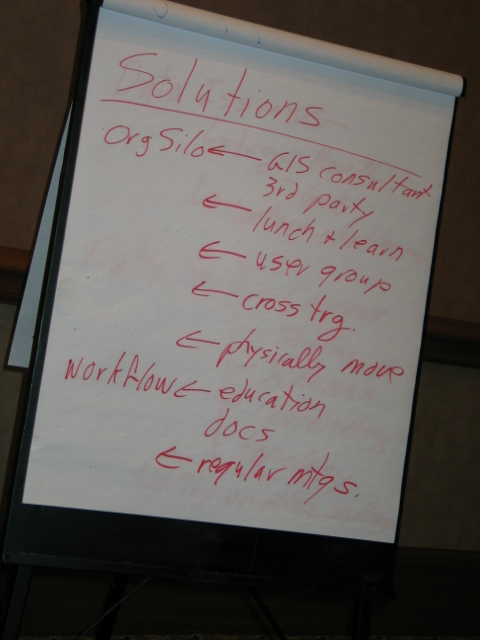
A new addition to Autodesk University (AU2009) is the Unconference Session where session content is created and driven by participants. Unconference Sessions represent an opportunity for you to engage with your peers around specific topics of interest. Lectures and formal presentations give way to open discussions where the sharing of ideas and experiences is encouraged.
This year, my colleague Neal Niemiec and I are delighted to be leading a 90-minute session entitled, “The Billion Dollar Opportunity: A Workshop on CAD/GIS Integration”. This workshop is aimed at engineers, surveyors, architects, CAD and GIS professionals, and anyone interested in the CAD/GIS integration issue. Anticipated discussion topics will include:
- Drivers for CAD/GIS integration
- CAD/GIS integration scenarios
- Approaches for addressing CAD/GIS integration issues
Labels:
AU2009,
Autodesk University,
CAD,
GIS,
integration
Subscribe to:
Posts (Atom)